Live Tool · Try It Now

Utilities Toolkit
65 Tools, One File

A single self-contained HTML file that bundles the small utilities an IT admin, freelancer or content creator reaches for every week — audio/video conversion, image and PDF work, a subnet calculator, DNS/SSL checks, JSON & diff, hashing, encoders, barcode and QR generation, social captions and more. Open it by double-click, pick a tool from the sidebar, get to work. No install, no internet — and nothing you load ever leaves your computer. CA$7.50/mo (cancel any time) or CA$150 once, no account needed.

Live Tool Single HTML File 65 Tools Offline-First Nothing Uploaded Runs From USB Vanilla JS · Bundled Libs From CA$7.50/mo

The Toolkit Page, Running Live

This is the actual page — not a screenshot. The frame below loads the Utilities Toolkit straight from the server. The full 65-tool file opens after purchase; the free PDF→PNG tool below is one of its tabs.

jedcomtech.com/pdf2png/toolkit

Desktop — 1280 px

Mobile — 390 px

Four Workspaces, One Sidebar

Network, Media, Developer and Social — switch workspace tabs in the sidebar and the tool list filters to match. Actual screenshots from the running toolkit.

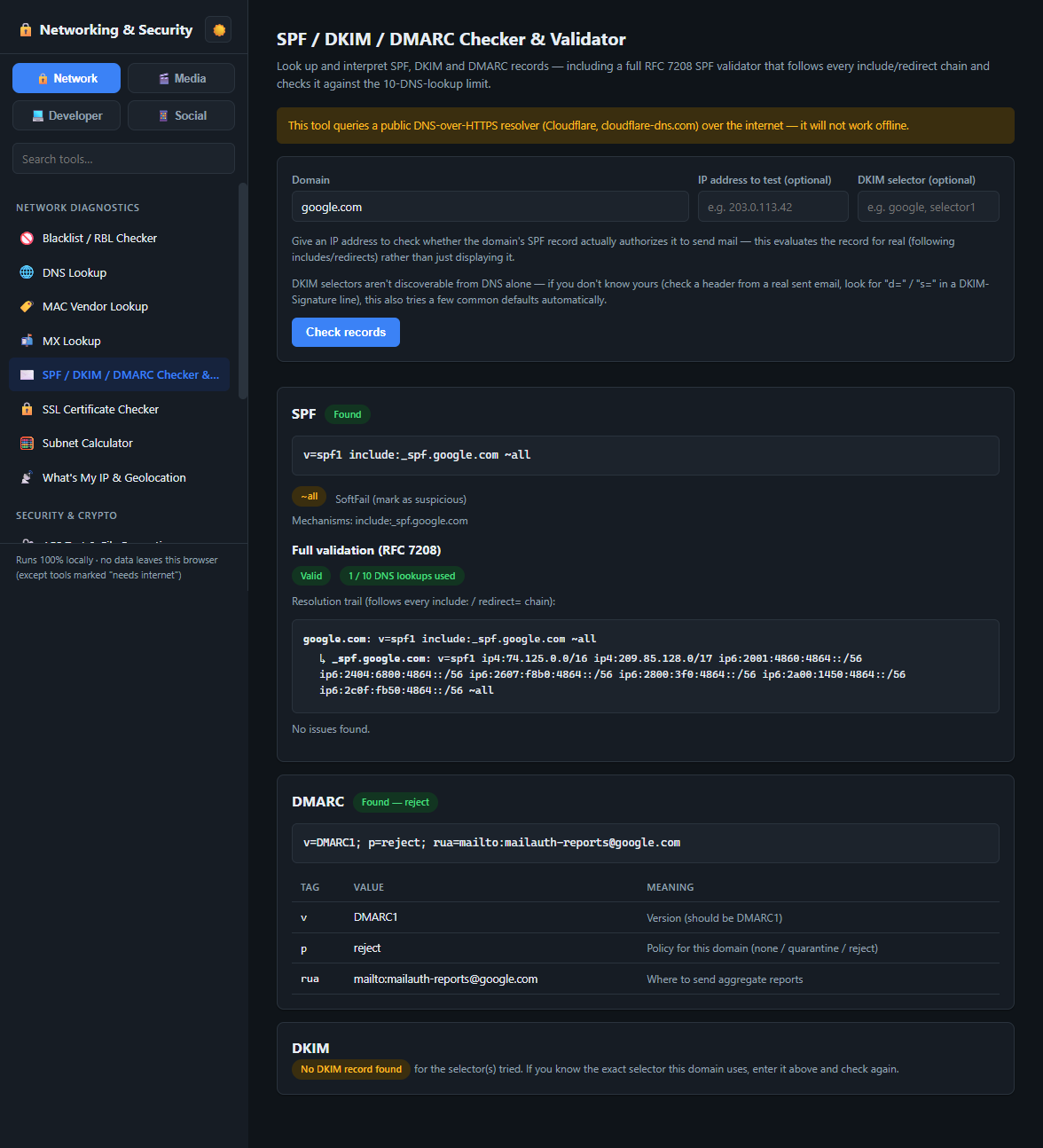
Network — SPF/DKIM/DMARC Checker
Utilities Toolkit Network workspace showing the SPF/DKIM/DMARC Checker & Validator tool
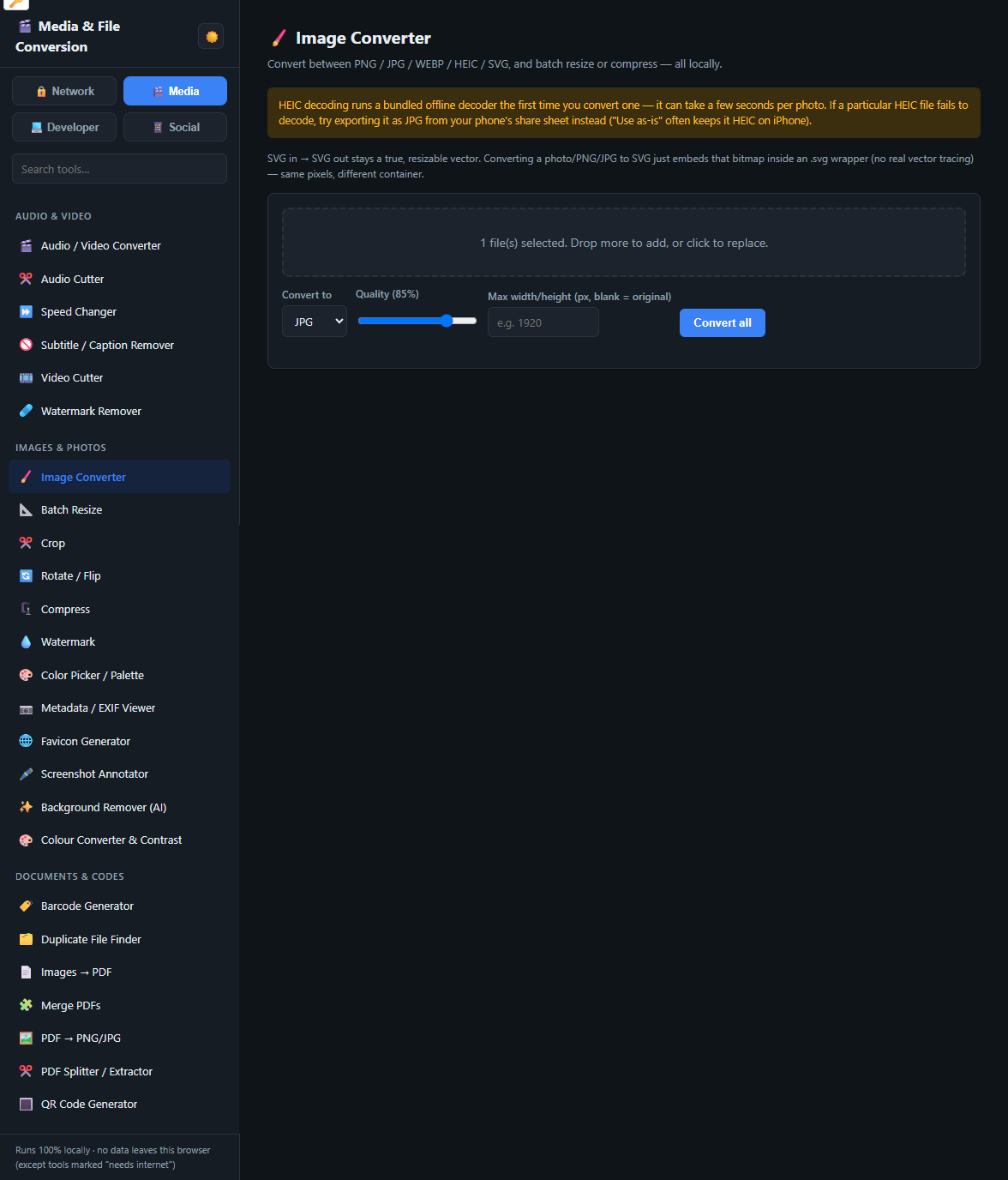
Media — Image Converter
Utilities Toolkit Media workspace showing the Image Converter tool and the full category sidebar
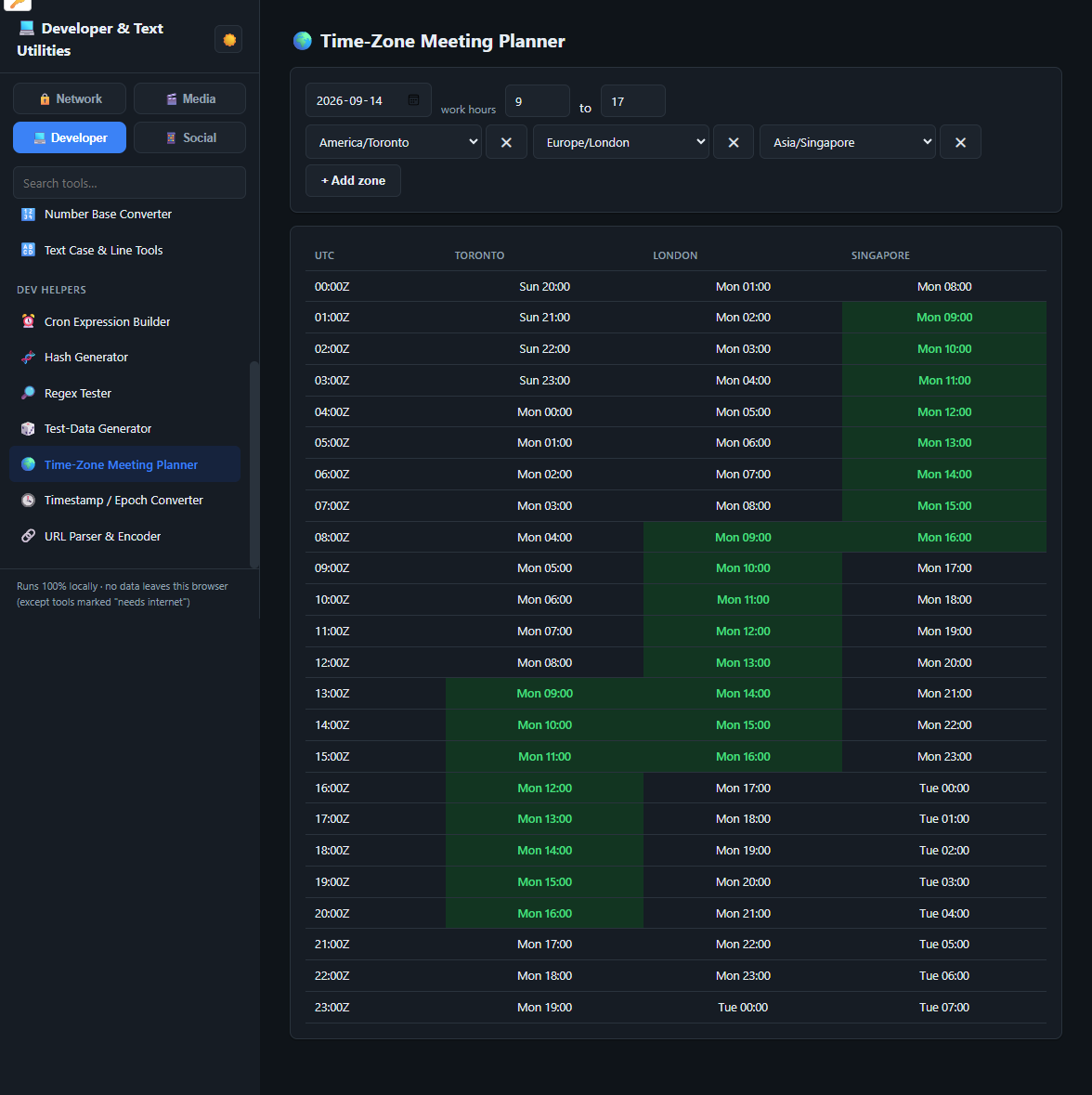
Developer — Time-Zone Meeting Planner
Utilities Toolkit Developer workspace showing the Time-Zone Meeting Planner tool
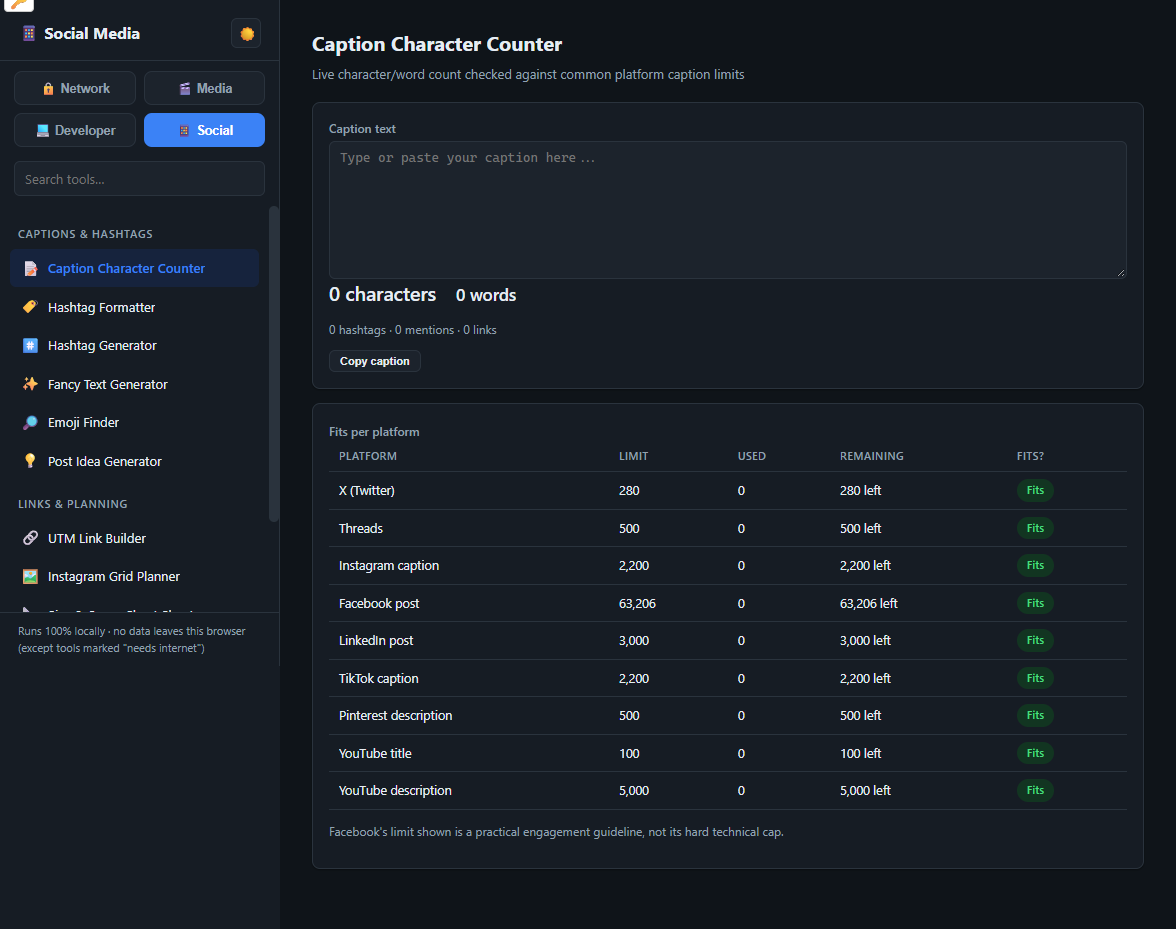
Social — Caption Character Counter
Utilities Toolkit Social workspace showing the Caption Character Counter tool with per-platform limits

One File. No Backend. Nothing to Break.

One HTML file, about 45 MB, with 65 tools registered as sidebar tabs. Every library it needs is embedded — PDF rendering, image decoding, an FFmpeg build for audio/video conversion, an offline AI model for background removal, hashing, diffing, QR and barcode generation. It runs entirely in the browser: your files are processed on your own machine and never uploaded. A handful of Network Diagnostics tools (DNS lookup, SSL certificate check, MX lookup, blacklist/RBL checker, SPF/DKIM/DMARC checker, IP/geolocation) call a public resolver at the moment you use them and are clearly labelled; every other tool works with the network off.

Free Sample Tool — PDF → PNG

1 of 65 Drop a PDFRuns in-browserNothing uploaded

The free PDF→PNG converter is tab 1 of the Utilities Toolkit, kept free for everyone. Drop in a PDF and it renders each page to a PNG entirely in this browser — nothing is sent anywhere. The full kit adds 64 more tools in the same file.

jedcomtech.com/pdf2png/
See the full Utilities Toolkit ↗

From Download to Done in Four Steps

No installer, no account, no browser extension. It is one file you own.

1

Open the file

Double-click Utilities-Toolkit.html. It opens in your browser like any page — no setup screen, no login.

2

Pick a tool

The sidebar lists all 65 across four workspaces — Network, Media, Developer, Social — each grouped further into categories like Audio & Video, Images & Photos, Network Diagnostics and Captions & Hashtags.

3

Do the job

Drop a file or paste text. Everything is processed on your machine — with the Wi-Fi off if you like.

4

Copy it anywhere

Put the file on a USB stick and it runs on a locked-down work laptop or an air-gapped box. One-time purchase, every computer you own.


65 Tools, Grouped by the Job

No plugins, no page builder, no framework. Hand-written HTML, CSS and JavaScript with every dependency embedded — all in one file.

AUDIO & VIDEO · 6 · NEW

Convert & Trim

Audio/video converter (MP3, M4A, WAV, MP4, WEBM…), video cutter, audio cutter, speed changer, subtitle/caption remover, watermark remover — real transcoding via an embedded FFmpeg build, fully offline.

IMAGES & PHOTOS · 12

Convert & Batch

HEIC / WEBP / PNG / JPG conversion, batch resize, crop, rotate / flip, compress, watermark.

IMAGES & PHOTOS

Inspect & Brand

Colour picker, colour converter + WCAG contrast, EXIF viewer / stripper, favicon generator, screenshot annotator, AI background remover.

DOCUMENTS & CODES · 7

PDF, QR & Barcodes

PDF → PNG / JPG, images → PDF, merge PDFs, split / extract pages, QR code generator, barcode generator (Code 128 / EAN-13 / UPC-A / Code 39), duplicate-file finder.

NETWORK DIAGNOSTICS · 8

Lookups & Checks

Subnet / CIDR calculator, MAC vendor lookup, DNS lookup, SSL certificate checker, MX lookup, blacklist/RBL checker, SPF/DKIM/DMARC checker & validator, IP & geolocation.

SECURITY & CRYPTO · 4

Secrets & Integrity

Password & passphrase generator, JWT decoder, checksum verifier, AES text & file encryption.

DEV HELPERS · 7

Build & Debug

Regex tester, hash generator, cron expression builder, timestamp / epoch converter, URL parser & encoder, test-data generator, time-zone meeting planner.

TEXT & DATA · 8

Format & Compare

CSV ↔ JSON, Base64 encode / decode, JSON / XML formatter, diff checker, text case & line tools, Markdown → HTML, number-base converter, encoders & escapers.

CAPTIONS & HASHTAGS · 6

Captions ×8 Platforms

Caption character counter for X, Threads, Instagram, Facebook, LinkedIn, TikTok, Pinterest, YouTube — plus hashtag formatter, hashtag generator, fancy text, emoji finder, post idea generator.

LINKS & PLANNING · 5

Plan & Track

UTM link builder, Instagram grid planner, size & specs cheat sheet, engagement rate calculator, best time to post.

CLIENT-FACING · 2

Docs & Client Comms

Ticket note → client email, network diagram sketch.

DELIVERY

One File, Every Screen

~45 MB, opens by double-click, runs with the network off. Licensed per person — copy it to every computer you own.

FREE TASTE

PDF → PNG, kept free

One of the 65 tabs stays free for everyone at jedcomtech.com/pdf2png — the rest unlock from CA$7.50/mo.
Against the Scatter of Free Web Tools

The everyday jobs get done on a dozen different websites — each one uploads your file, caps the size, and hides half the features behind a subscription. Here is where one local file lands next to them.

Option Cost Privacy Notes
Scattered free web toolsone site per job $0 + ads / upsells Files uploaded to each site Size caps, watermarks, a paywall on the useful button, and nothing works on a machine with no internet
All-in-one converter SaaShosted toolset US$6 – 15 / month Hosted; account required Convenient, but a recurring bill and your documents still pass through their servers
Browser-extension bundlesper-tool add-ons $0 – a few $ each Varies; broad permissions A dozen extensions to install and trust, tied to one browser profile, and often ad-funded
Native desktop appsone per task $20 – 60 each Local Local and fast, but a separate install and licence for each job, per OS
Utilities ToolkitSingle HTML file — this project CA$7.50/mo or CA$150 once · cancel any time Fully local — nothing uploaded 65 tools in one file, no install or account, runs offline on any OS with a browser, free updates, 30-day refund

What the alternatives also tend to cost

  • A subscription for every specialised job — PDFs here, images there, a diff tool elsewhere: US$10 – 30 / month combined
  • Time lost hunting for "the good free site" again each time, then working around its limits: ongoing
  • The quiet privacy cost of every document and screenshot passing through someone else's server: hard to price, easy to avoid

Want Something Like This?

We build fast, self-contained web tools tailored to how your team actually works — no templates, no shortcuts.

Get a Free Quote → ← See More Tools